
In this article:
- Display the MSRP Column on Purchasing and Manufacturer Snapshots
- Set the Price on Valuations
- Show Sales Total on MSO Reports
- Show Product Bin Location on Purchasing Snapshots
- Display Max Allowed Rows on VOC Reports
- Display Category Totals on VOC Reports
- Preserve Text Color When Printing Reports
- For all shop reports settings, go to the
 Menu → Shop Settings.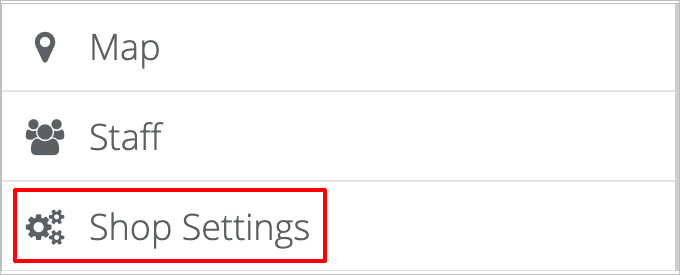
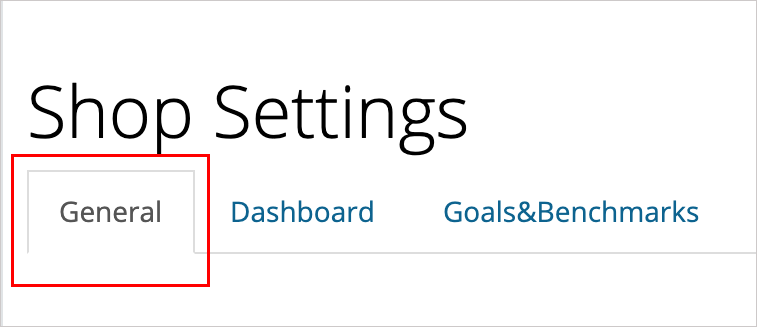
- On the Shop Settings page, click on the General tab.
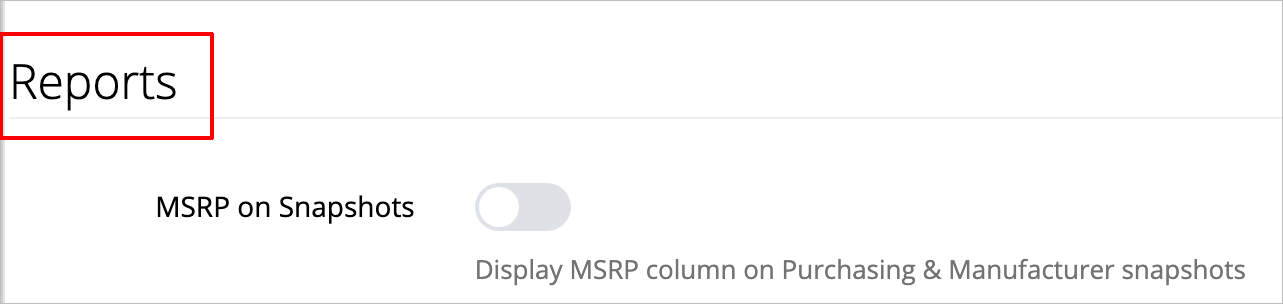
- Then scroll down to the Reports heading.
- For all of the following settings, you'll click the toggle to turn options on and off. When the option is turned off, the toggle will be gray. When the option is turned on, the toggle will be blue.

- Click on the blue Save Settings button at the bottom right of your screen when you’re done making changes.

- To display the MSRP column on purchasing and manufacturer snapshots, go to the toggle labeled MSRP on Snapshots. Click the toggle to turn it on. To stop displaying the MSRP column, click the toggle again to turn it off.

- To set the price on valuations as MSRP, Invoice, or Statement, go to the selection labeled Price on Valuations. Click the option you want to set. The active selection will be dark blue. (In the image below, Invoice is the current selection.

- To show the sales total on MSO reports, go to the toggle labeled Sales Total on Reports. Click the toggle to turn it on. To stop showing the sales total on reports, click the toggle again to turn it off.

- To show product bin locations on purchasing snapshots, go to the toggle labeled Bin Location on Reports . Click the toggle to turn it on. To stop showing product bin locations, click the toggle again to turn it off.

- To display Max Allowed rows on VOC reports, go to the toggle labeled VOC Max. Click the toggle to turn it on. To stop displaying Max Allowed rows,click the toggle again to turn it off.

- To display category totals on VOC reports, go to the toggle labeled VOC Totals. Click the toggle to turn it on. To stop displaying category totals, click the toggle again to turn it off.

- To preserve text color when printing reports, go to the toggle labeled Color on Print. Click the toggle to turn it on. To stop preserving text color, click the toggle again to turn it off.

How to display MSRP on purchasing and manufacturer snapshots. How to turn on MSRP column on snapshots. How to show the sales total on MSO reports. How to show a product bin location on purchasing snapshots. How to display the VOC max allowed on VOC reports. How to show category totals on VOC reports. How to preserve text color when printing reports. How to print text color on reports.
Comments
0 comments
Please sign in to leave a comment.