
In this article:
- Set a Gross Profit Goal/Goal for Percent Profit from Door Sales Over Material Purchases
- Set a P&M Sales Goal/ Goal for P&M Sales as Percentage of Total Material Sales
- Set a P&M Cost Goal/ Goal for P&M Cost as Percentage of Total Material Sales
- Set a Total Materials Budget Goal/ Goal for Spending on Materials as Percentage of Sales
- Set a Paint Hours per Gallon of Clear Goal
- Set a Cost per Paint Hour Goal
- Set a Sales per Paint Hour Goal
- Set a Performance Benchmark as National, Fleet, or Custom
- For all of the following settings, go to the
 Menu → Shop Settings.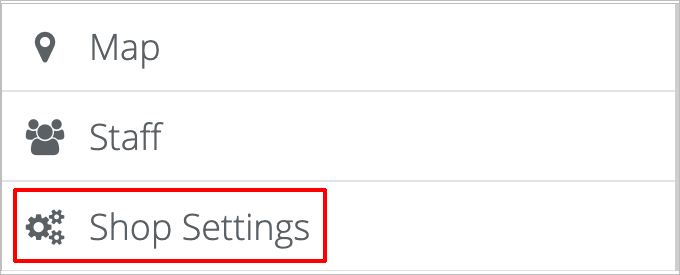
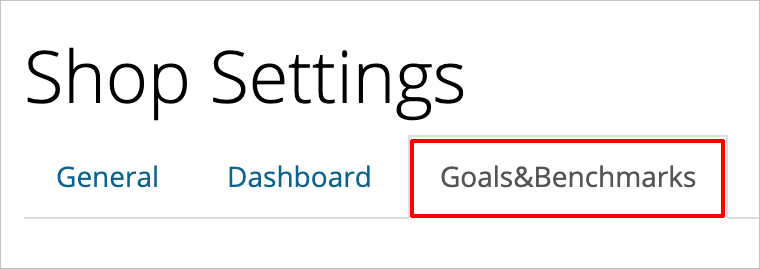
- Then, on the Shop Settings page, click on the Goals & Benchmarks tab.
- Click on the blue Save Settings button at the bottom right of your screen when you’re done making changes.

- To set a Gross Profit Goal/Goal for Percent Profit from Door Sales Over Material Purchases, go the Gross Profit field and type the amount (percentage) that you want to set as your gross profit goal.

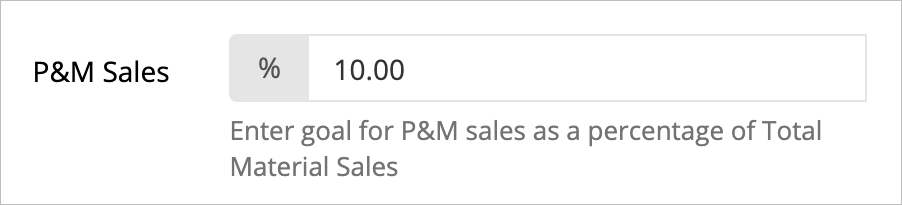
- To set a P&M sales goal/ goal for P&M sales as percentage of total material sales, go the P&M Sales field and type the number (percent) that you want to set as your P&M Sales goal.
- To set a P&M cost goal/goal for P&M cost as a percentage of total material sales,
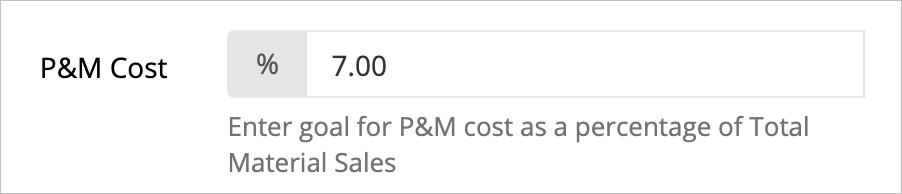
This option is to make the cost goal viewable in reports.
- To set a total materials budget goal/goal for spending on materials as a percentage of sales, go to the Total Materials Budget field and type the number (percent) that you want to set as your materials budget goal.

This option is to make the budget goal viewable on the dashboard slides.
- To set paint hours per gallon of clear goal, go to the Paint Hours per Gallon of Clear field and type the number (hours per gallon) that you want to set as your paint hours goal.

- To set a cost per paint hour goal, go to the Cost per Paint Hour field and type the number (cost per hour) that you want to set as your cost per paint hours goal.

- To set a sales per paint hour goal, go to the Sales per Paint Hour field and type the number (dollar sales per hour) that you want to set as your sales per paint hour goal.

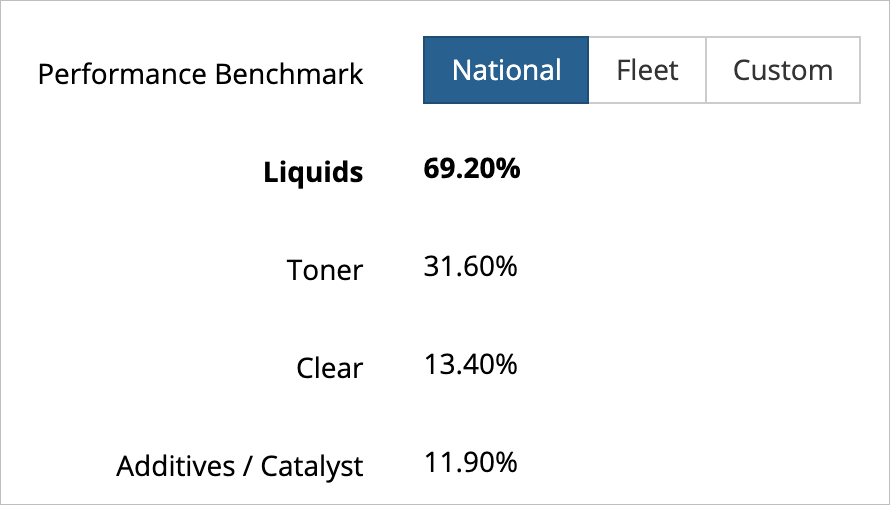
- To set a performance benchmark as national, fleet, or custom, go to the section labeled Performance Benchmark. You will see three options: National, Fleet, or Custom.
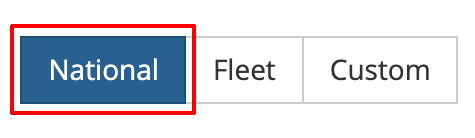
- Click on the benchmark you want to use. The selected/active option will be dark blue.
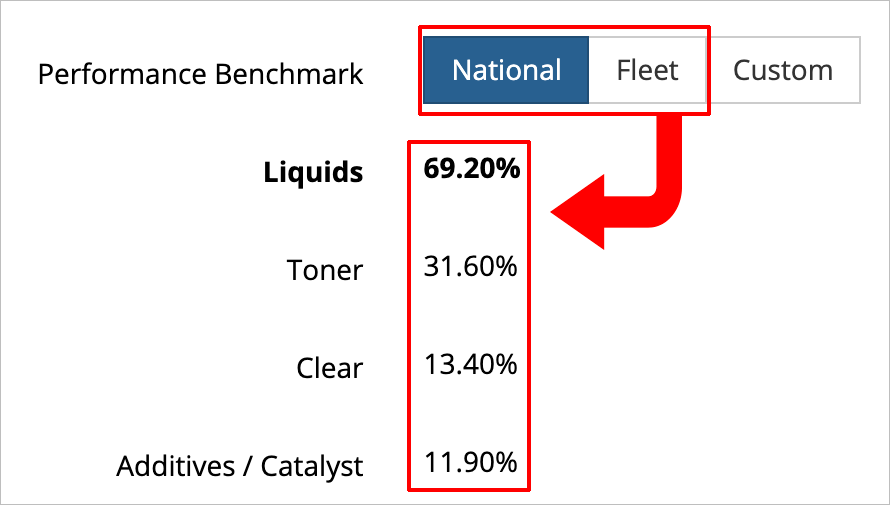
- If you select National or Fleet, the individual categories are automatically set.
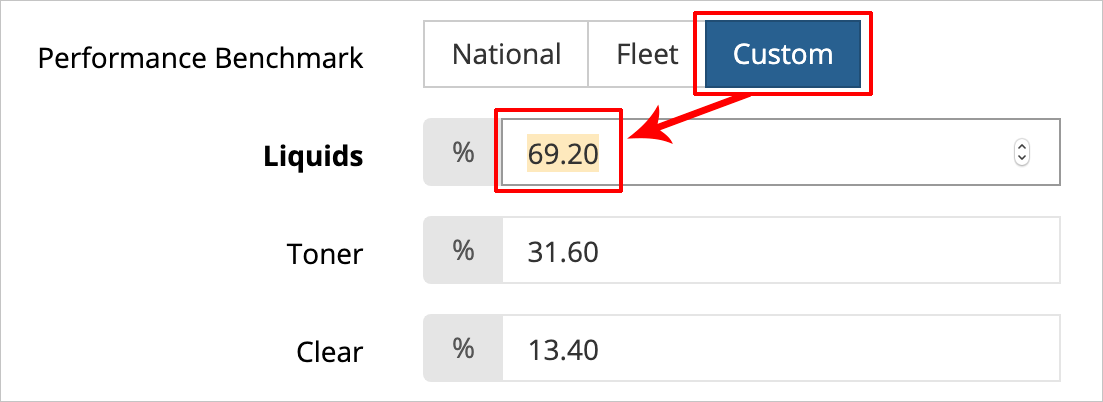
- If you choose Custom, then you will enter your custom percentages for each category in the list.
How Tos: How to set a gross profit goal. How to set a goal for percent profit from door sales over material purchases. How to set a P&M sales goal. How to set a goal for P&M sales as a percentage of total material sales. How to set a P&M sales goal. How to set a goal for P&M sales as a percentage of total material sales. How to set a total materials budget goal as percentage of sales. How to set a goal for spending materials as a percentage of sales. How to set a P&M cost goal. How to set a goal for P&M cost as a percentage of total material sales. How to set a cost per paint hour goal. How to set a goal for paint hours per gallon of clear. How to set a cost per paint hour goal. How to set a sales per paint hour goal. How to set the performance benchmark as national. How to set the performance benchmark as fleet. How to set the performance benchmark as custom. How do I change goals on the dashboard?
Comments
0 comments
Please sign in to leave a comment.