
- Go to
 Menu → Shop Reports.
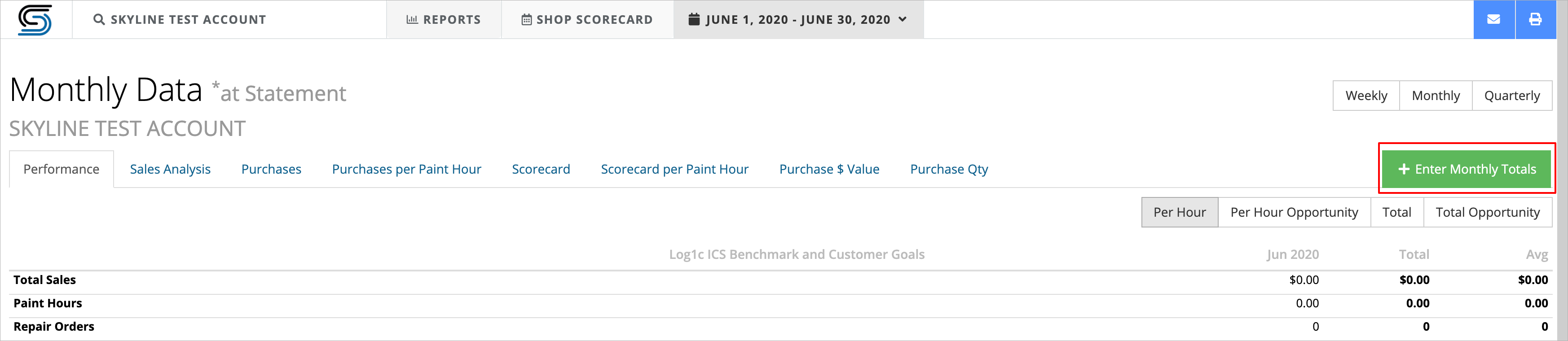
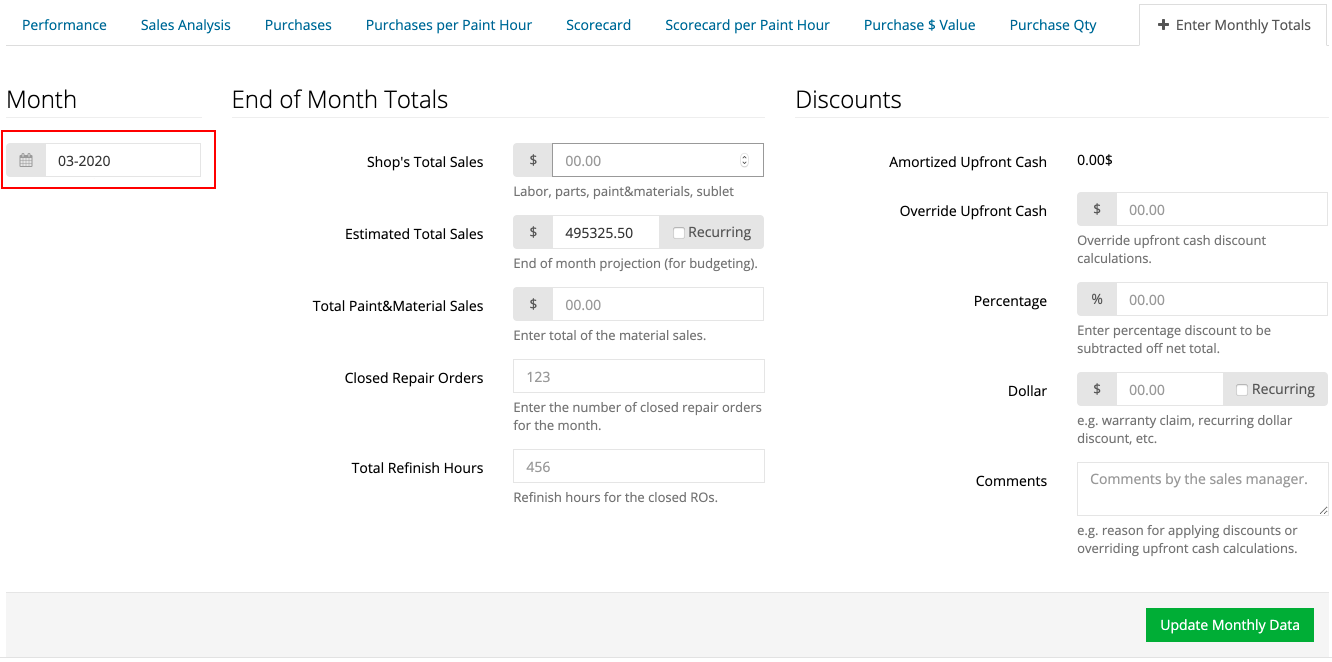
 - Click on the green + Enter Monthly Totals button.
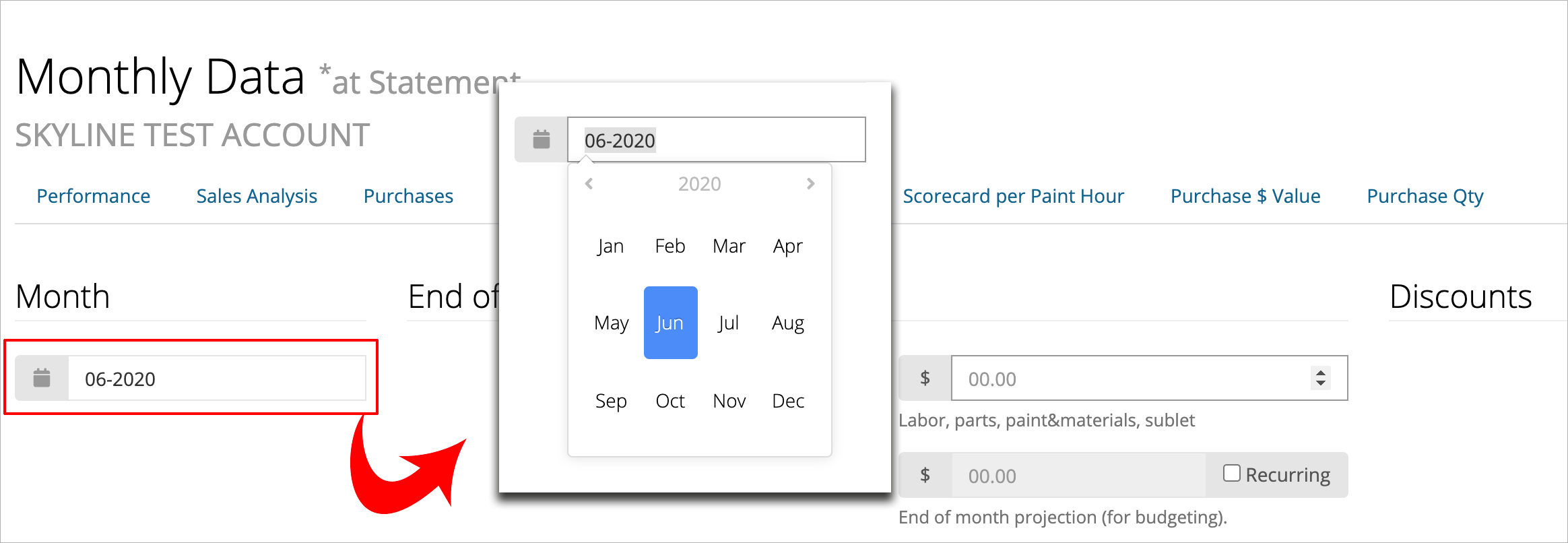
- Make sure you have the desired month selected in the month picker.
- The End of Month totals are as follows:
 Shop's Total Sales is for your closed month totals.
 Estimated Total Sales is for your current month projections. (Used for setting goals for the Dashboard)
 Total Paint&Material Sales is for your closed month material totals.
 Closed Repair Orders is for your repair orders that were closed out within that month. (Not just what has been collected.)
 Total Refinish Hours is for closed hours that were paid.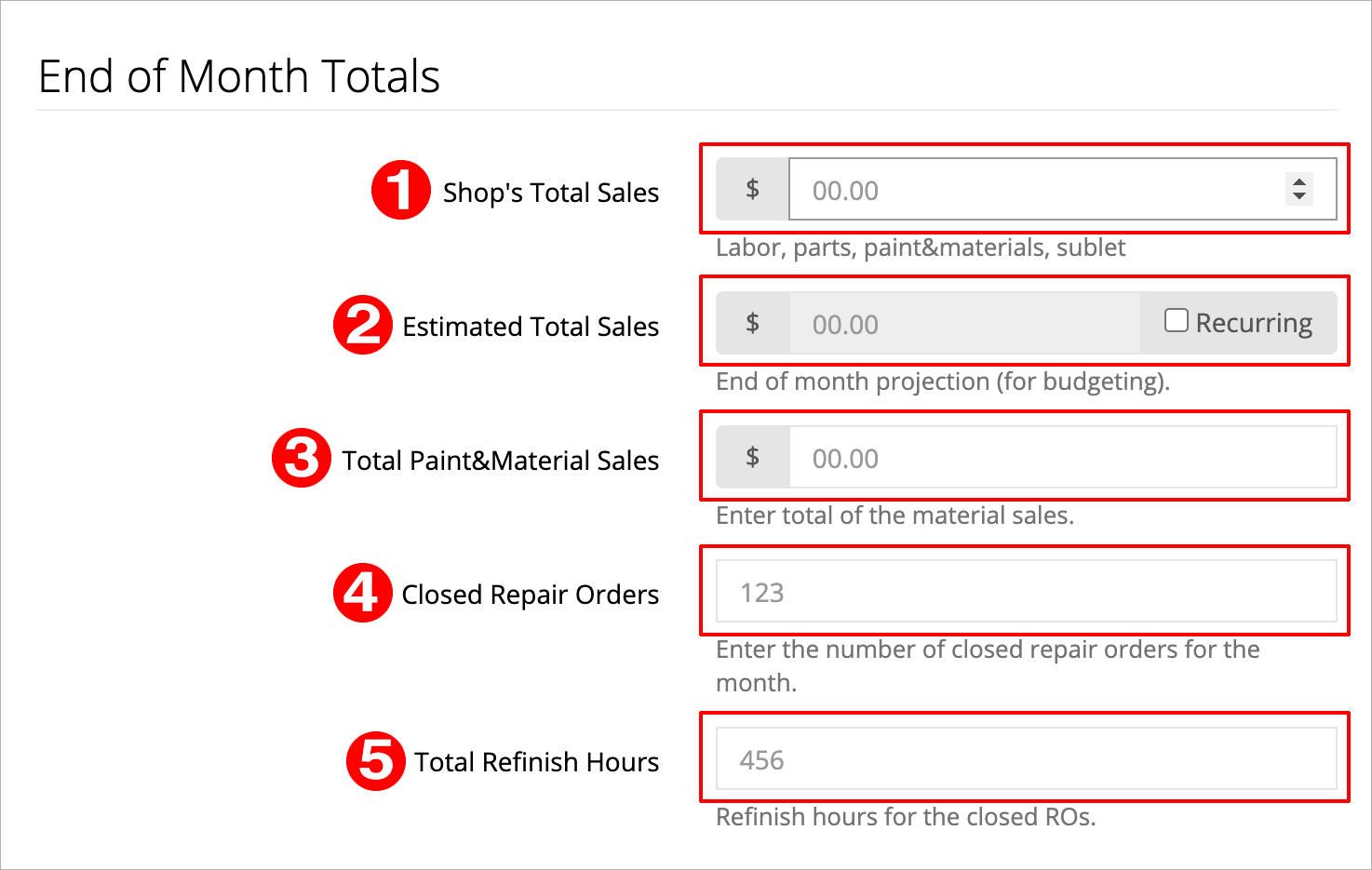
- Click the green Update Monthly Data button at the bottom right of the screen to save the numbers.
Note: After you save the monthly totals, the month picker will automatically jump to the next month.
How to change goals on the dashboard.
Comments
0 comments
Please sign in to leave a comment.