
MSO reports are advanced versions of the current Log1c Performance reports.
To see sales totals on MSO reports, this option must be turned on in the settings.
- Go to the
 Menu → MSO Reports.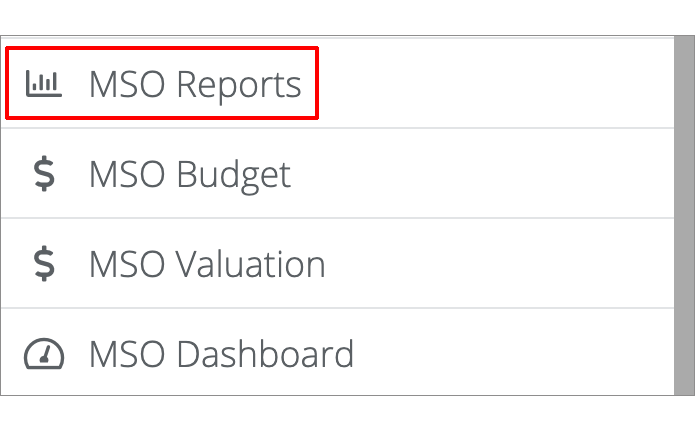
- The next page will display the MSO reports.
- Performance is the default, but you can choose to view different categories in the MSO report by clicking the category headings
 (such as Opportunity, Sales Analysis, etc.). The Performance category also allows you to select to view by Per Hour, Per Hour Opportunity, Total, or Total Opportunity
 .
.
- Click on the Rank tab to compare/rank MSO shops.

After you click Rank, you'll then see an overview of each MSO listed in one table.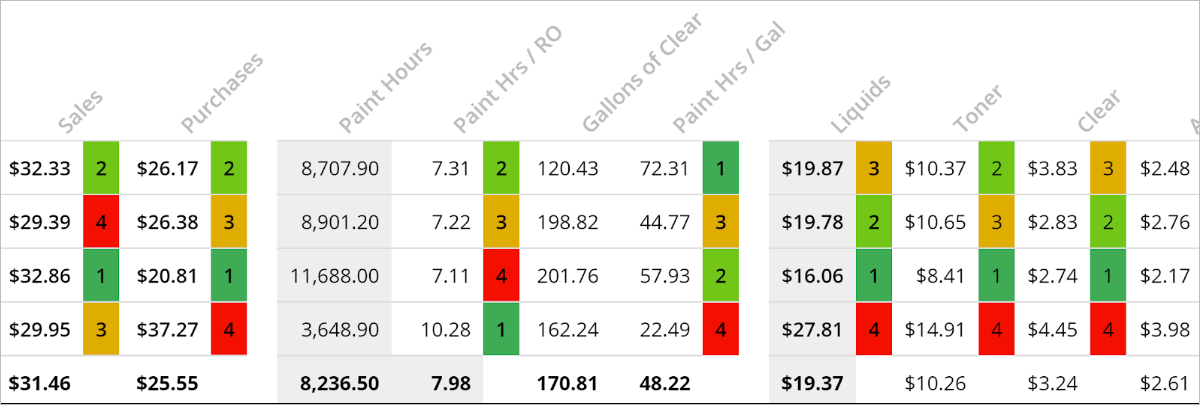
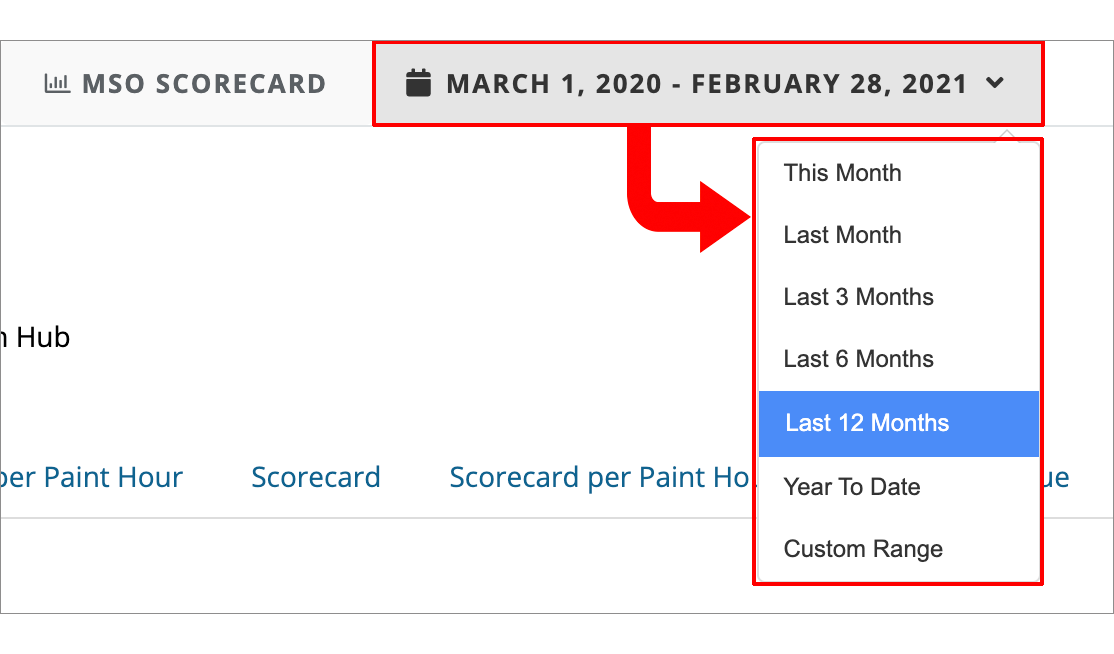
- Lastly, if you'd like to view the reports by a particular date range, click on the date at the top of the screen to open the date picker and make your selection.
How to view MSO reports. How to rank MSO reports. How to view MSO reports for different time. How to compare MSO reports.
Comments
0 comments
Please sign in to leave a comment.